⭐⭐⭐⭐⭐ Excel · PDF · Word · HWP in one · Notes & shapes · Windows

TocTok Viewer

Free Document Viewer · Free forever!

Open Excel, Word, PDF, PowerPoint, images and HWP in a single app. Then add text, notes, shapes and stickers and save as an image or PDF.

⬇ Free Download Now Windows only
Opens it allExcel·PDF·Word·HWP
MarkupNotes·shapes·stickers
Local onlyNothing uploaded

Popular ways to use it

Contract reviews, quick checks, homework — no more “can't open this file”.

★★★★★

“Opened an HWP file on a laptop without Korean office.”

★★★★★

“Added arrows and notes to a PDF and sent it back.”

★★★★★

“I can check spreadsheets without Excel.”

★★★★★

“The blur tool is what I use most.”

★★★★★

“No more juggling five different apps.”

★★★★★

“Stickers make feedback so much faster.”

★★★★★

“Text files open without broken characters.”

★★★★★

“Light and free — installed it on my parents' PC.”

More free TocTok tools

All free · no ads · swipe to explore

TocTok Recorder
TocTok Recorder

Record your screen, no watermark

Free screen recording with audio, pause and GIF export.

TocTok Capture
TocTok Capture

Screenshot & annotate in one

Press F2, drag, then mark up with pen, arrows and pixelate.

TocTok Memo
TocTok Memo

Sticky notes on your desktop

Auto-saved as you type, restored after every reboot.

TocTok Zip
TocTok Zip

Zip & unzip without ads

Create and extract archives, repairs garbled filenames.

TocTok Paint
TocTok Paint

Simple, light paint app

Pen, shapes, fill and text with 20-step undo.

TocTok Notepad
TocTok Notepad

Text that never breaks

Smart encoding detection, dark mode, find & replace.

TocTok Calendar
TocTok Calendar

A calendar that lives on your desktop

Click-to-note dates with adjustable transparency.

TocTok Hotkeys
TocTok Hotkeys

Don't memorize hotkeys — search them

90+ shortcuts in a tiny transparent floating finder.

TocTok Splitter
TocTok Splitter

Snap windows with one click

Halves, thirds and quarters — pixel-perfect, gap-free.

TocTok Virtual Desktop

Switch workspaces by click

A tiny bar for Windows' hidden virtual desktops.

TocTok Image Compressor

Shrink photos in bulk

Batch compress hundreds of images — originals untouched.

TocTok Video Compressor

Compress video in one click

Three presets — minimal quality loss, major size drop.

TocTok File Compressor

Drop any file, it shrinks

Photos, videos, audio, PDFs — the right method, automatically.

TocTok File Converter

Convert to any format

PDF↔images, video→MP3/GIF — all offline on your PC.

TocTok Video Editor
TocTok Video Editor

Cut, join, caption — done

Lossless cuts, transitions, music, filters. No watermark.

TocTok Page Capture
TocTok Page Capture

Whole webpages in one shot

Paste a URL — full-page and split scrolling screenshots.
TocTok Page Saver
TocTok Page Saver

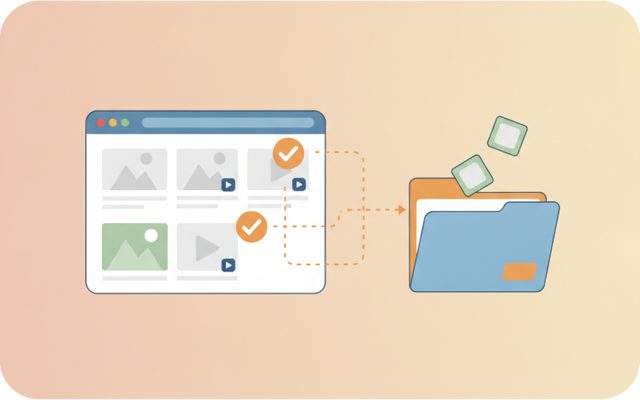
Pick & save page media

Analyze a page, preview, and bulk-save only what you tick.

TocTok Image Studio
TocTok Image Studio

Find, split, clean

Free stock search, flexible splitting, EXIF/GPS removal.

TocTok All-in-One
TocTok All-in-One

Every tool, one screen

Install, launch and auto-update the whole suite.

TocTok Viewer Key Features

Everything you need to view and mark up.

📂

Any format

Excel (XLSX), Word (DOCX), PDF, PowerPoint, HWP/HWPX, images, text and CSV — one app.

✏️

Text, notes, shapes

Pen, highlighter, arrows, boxes, circles, text, sticky notes, stickers and blur.

💾

Save as image or PDF

Export exactly what you see to PNG/JPG or PDF. Originals untouched.

⬇ Free Download Windows only

TocTok Viewer How to Use

Open, mark up, save.

1

Open a file

Any document. Multi-page or multi-sheet files list on the left.

2

Mark it up

Pick pen, shapes, notes or stickers from the right panel.

3

Save

Export to image or PDF — it lands in a separate output folder.

⬇ Get it free now Windows only

FAQ

Is it really free?

Yes — free forever, no file limits.

Can it open HWP without Korean office software?

Yes. It reads the publicly documented HWP format directly and shows the text content. Complex table and image formatting is not reproduced exactly.

Can I edit documents?

Text and CSV files can be edited and saved. Excel, Word, PDF and HWP are view-only — but you can mark them up and export.

Which formats?

PDF · images (JPG·PNG·WebP·BMP·GIF·TIFF) · Excel (XLSX·XLSM) · Word (DOCX) · PowerPoint (PPTX) · HWP·HWPX · CSV · text files.

Any data collection?

None. Documents are opened locally and never uploaded.

⬇ Free Document Viewer Download Windows only

Why a universal document viewer?

Every file type wants its own program — Excel for spreadsheets, Word for documents, another app for PDFs. On a PC without an office suite you simply can't open what people send you. TocTok Viewer opens all of them in one free app, and lets you mark documents up before sharing them back.

How to use it

Press Open and pick any file. Images and PDFs render as pages, spreadsheets as tables, Word and HWP as text. Move between pages or sheets on the left, zoom with +/-, rotate with ↻. Choose a markup tool on the right — pen, highlighter, arrow, box, circle, text, sticky note, sticker or blur — then export to image or PDF. Ctrl+Z undoes mistakes.

Good to know

View-only formats aren't modified — your markup is saved as a new file. HWP documents are shown text-first, so heavily formatted files may look different from the original app. Mind copyright and privacy when sharing marked-up documents (the blur tool helps).

Pro tips

Highlighter + sticky notes is the best combo for contract review. Blur names and numbers before screen-sharing. Mark up a multi-page PDF and Save as PDF to keep everything in one file. Shrink big exports with TocTok Image Compressor.