⭐⭐⭐⭐⭐ Capture + edit in one · No watermark · Windows

TocTok Capture

Free Screen Capture Tool · Free forever!

Take a screenshot and edit it instantly — pen, arrows, text, pixelate. Press F2 anywhere and drag. Done in seconds.

⬇ Free Download Now Windows only
Free foreverNo payments, no limits
Built-in editorPen·text·pixelate
Zero dataNothing collected

Popular ways to use it

Docs, bug reports, blog posts — capture, mark, paste.

★★★★★

“Capture then pixelate private info immediately. Perfect.”

★★★★★

“F2, drag, done. Truly instant.”

★★★★★

“Arrows + text make tutorials so easy.”

★★★★★

“Copies to clipboard automatically — just Ctrl+V.”

★★★★★

“Tiny install, fast start.”

★★★★★

“Free with a real editor built in. Rare.”

★★★★★

“Window capture grabs exactly the window.”

★★★★★

“Ctrl+Z lets me fix mistakes fearlessly.”

More free TocTok tools

All free · no ads · swipe to explore

TocTok Recorder
TocTok Recorder

Record your screen, no watermark

Free screen recording with audio, pause and GIF export.

TocTok Memo
TocTok Memo

Sticky notes on your desktop

Auto-saved as you type, restored after every reboot.

TocTok Zip
TocTok Zip

Zip & unzip without ads

Create and extract archives, repairs garbled filenames.

TocTok Paint
TocTok Paint

Simple, light paint app

Pen, shapes, fill and text with 20-step undo.

TocTok Notepad
TocTok Notepad

Text that never breaks

Smart encoding detection, dark mode, find & replace.

TocTok Calendar
TocTok Calendar

A calendar that lives on your desktop

Click-to-note dates with adjustable transparency.

TocTok Hotkeys
TocTok Hotkeys

Don't memorize hotkeys — search them

90+ shortcuts in a tiny transparent floating finder.

TocTok Splitter
TocTok Splitter

Snap windows with one click

Halves, thirds and quarters — pixel-perfect, gap-free.

TocTok Virtual Desktop

Switch workspaces by click

A tiny bar for Windows' hidden virtual desktops.

TocTok Image Compressor

Shrink photos in bulk

Batch compress hundreds of images — originals untouched.

TocTok Video Compressor

Compress video in one click

Three presets — minimal quality loss, major size drop.

TocTok File Compressor

Drop any file, it shrinks

Photos, videos, audio, PDFs — the right method, automatically.

TocTok File Converter

Convert to any format

PDF↔images, video→MP3/GIF — all offline on your PC.

TocTok Video Editor
TocTok Video Editor

Cut, join, caption — done

Lossless cuts, transitions, music, filters. No watermark.

TocTok Page Capture
TocTok Page Capture

Whole webpages in one shot

Paste a URL — full-page and split scrolling screenshots.
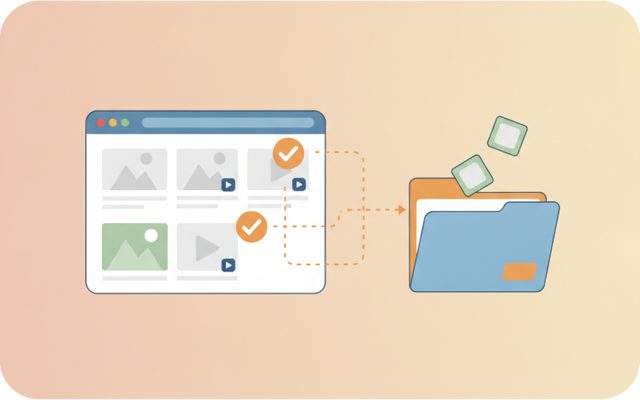
TocTok Page Saver
TocTok Page Saver

Pick & save page media

Analyze a page, preview, and bulk-save only what you tick.

TocTok Viewer
TocTok Viewer

Excel, PDF, Word — one viewer

Open anything, then add notes, shapes and stickers.

TocTok Image Studio
TocTok Image Studio

Find, split, clean

Free stock search, flexible splitting, EXIF/GPS removal.

TocTok All-in-One
TocTok All-in-One

Every tool, one screen

Install, launch and auto-update the whole suite.

TocTok Capture Key Features

Everything a screenshot tool needs.

🟦

Region · Full · Window

Drag any area, or capture the full screen / a single window. F2 / F3 hotkeys.

🖊️

Instant editor

Pen, highlighter, boxes, arrows, text, pixelate, crop — with Ctrl+Z undo.

📋

Save & share fast

PNG/JPG save plus automatic clipboard copy — paste anywhere instantly.

⬇ Free Download Windows only

TocTok Capture How to Use

First screenshot in 10 seconds.

1

Press F2

The screen freezes and dims — from any app.

2

Drag an area

Your selection stays bright with live size info.

3

Edit → save/copy

Annotate, then save PNG/JPG or just paste with Ctrl+V.

⬇ Get it free now Windows only

FAQ

Is TocTok Capture really free?

Yes — free forever, no watermark.

Can I edit right after capturing?

Yes — an editor opens instantly with pen, arrows, text, pixelate, crop and Ctrl+Z.

How do I hide private info?

Drag the pixelate tool over names, numbers or faces.

Can I paste without saving?

Yes — captures are auto-copied to the clipboard. Just Ctrl+V.

Does it collect any data?

No. Images stay on your PC only.

⬇ Free Screen Capture Tool Download Windows only

Why a dedicated screenshot tool?

Windows' built-in snipping is fine until you need to mark something up — an arrow saying "click here", text explaining a step, or a blur over private data. Then you're off to an image editor. TocTok Capture merges the two: one hotkey captures, and the editor opens instantly with pen, highlighter, shapes, arrows, text, pixelate and crop.

How to use it

Press F2 for region capture (drag on the frozen, dimmed screen), F3 for full screen, or pick a window from the panel. Annotate in the editor, undo with Ctrl+Z, then save as PNG (sharp) or JPG (small) — the image is also copied to your clipboard automatically for instant pasting.

Good to know

Blur generously — high-resolution screens can reveal lightly-obscured text when zoomed. Check copyright before publishing captures of paid content. "Unknown publisher" on first run is normal for free unsigned apps.

Pro tips

Arrow + text is the fastest way to build how-to guides. Use clipboard-only mode for one-off shares to keep your folders clean. PNG for text-heavy captures, JPG for photos. Need moving pictures? TocTok Recorder handles video and GIF.