⭐⭐⭐⭐⭐ Keyword search · Split any way · Strip photo data · Windows

TocTok Image Studio

Find, split and clean images · Free forever!

Type a keyword to find and save free images, split them exactly how you want, and strip hidden camera and GPS data.

⬇ Free Download Now Windows only
Free imagesSearch and save
Flexible splitGrid · step · your own lines
PrivacyEXIF & GPS removed

Popular ways to use it

Blog posts, product pages, social grids — sorted in one pass.

★★★★★

“Finding usable photos takes minutes now.”

★★★★★

“Cut a long product page into even slices.”

★★★★★

“I had no idea my photos carried my address.”

★★★★★

“Drawing my own cut lines is brilliant.”

★★★★★

“Made a 3×3 Instagram grid in seconds.”

★★★★★

“Clean-up makes files tidy.”

★★★★★

“It searches videos too.”

★★★★★

“Free with no ads.”

More free TocTok tools

All free · no ads · swipe to explore

TocTok Recorder
TocTok Recorder

Record your screen, no watermark

Free screen recording with audio, pause and GIF export.

TocTok Capture
TocTok Capture

Screenshot & annotate in one

Press F2, drag, then mark up with pen, arrows and pixelate.

TocTok Memo
TocTok Memo

Sticky notes on your desktop

Auto-saved as you type, restored after every reboot.

TocTok Zip
TocTok Zip

Zip & unzip without ads

Create and extract archives, repairs garbled filenames.

TocTok Paint
TocTok Paint

Simple, light paint app

Pen, shapes, fill and text with 20-step undo.

TocTok Notepad
TocTok Notepad

Text that never breaks

Smart encoding detection, dark mode, find & replace.

TocTok Calendar
TocTok Calendar

A calendar that lives on your desktop

Click-to-note dates with adjustable transparency.

TocTok Hotkeys
TocTok Hotkeys

Don't memorize hotkeys — search them

90+ shortcuts in a tiny transparent floating finder.

TocTok Splitter
TocTok Splitter

Snap windows with one click

Halves, thirds and quarters — pixel-perfect, gap-free.

TocTok Virtual Desktop

Switch workspaces by click

A tiny bar for Windows' hidden virtual desktops.

TocTok Image Compressor

Shrink photos in bulk

Batch compress hundreds of images — originals untouched.

TocTok Video Compressor

Compress video in one click

Three presets — minimal quality loss, major size drop.

TocTok File Compressor

Drop any file, it shrinks

Photos, videos, audio, PDFs — the right method, automatically.

TocTok File Converter

Convert to any format

PDF↔images, video→MP3/GIF — all offline on your PC.

TocTok Video Editor
TocTok Video Editor

Cut, join, caption — done

Lossless cuts, transitions, music, filters. No watermark.

TocTok Page Capture
TocTok Page Capture

Whole webpages in one shot

Paste a URL — full-page and split scrolling screenshots.
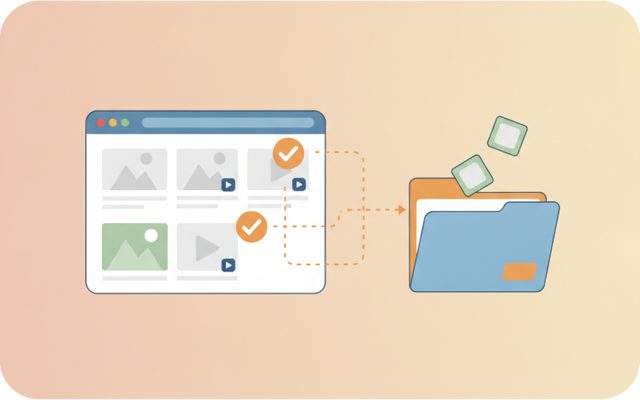
TocTok Page Saver
TocTok Page Saver

Pick & save page media

Analyze a page, preview, and bulk-save only what you tick.

TocTok Viewer
TocTok Viewer

Excel, PDF, Word — one viewer

Open anything, then add notes, shapes and stickers.

TocTok All-in-One
TocTok All-in-One

Every tool, one screen

Install, launch and auto-update the whole suite.

TocTok Image Studio Key Features

Everything you need to prepare images.

🔍

Search and save

Find free stock photos and videos by keyword, pick your favourites, save at the size you want.

✂️

Split any way

By column/row count, every N pixels, or by clicking your own cut lines on the preview.

🧼

Clean up

Strip camera and GPS data, and optionally nudge pixels so the file is new but looks identical.

⬇ Free Download Windows only

TocTok Image Studio How to Use

Find, split, clean.

1

Find

Type a keyword, pick photos, press Save selected.

2

Split

Open an image, choose a method, press Split now — or click your own lines.

3

Clean

Drop in photos to see what data they carry, then press Clean now.

⬇ Get it free now Windows only

FAQ

Is it really free?

Yes — free forever. Image search uses a free Pexels API key that you create yourself.

Can I use the images freely?

Pexels photos are generally free even commercially, but always check the license on each photo's page — shots with recognisable people or brands may have limits.

What split modes are there?

① Column × row count ② every N pixels ③ click your own cut lines on the preview.

What does Clean do?

It removes EXIF camera data and GPS location, and can nudge pixels imperceptibly so the file differs while looking the same.

Any data collection?

None. Everything runs locally and your API key stays on this PC.

⬇ Find, split and clean images Download Windows only

Image prep is half the work

Running a blog, a shop page or social accounts means endless image chores — finding something usable, cutting it to size, cleaning it before upload. TocTok Image Studio puts all three in one app.

How to use it

Find: type a keyword and free stock photos appear in a grid; click to select, then Save selected (videos are searchable too). Split: open an image and pick a method — grid counts, fixed pixel steps, or click the preview to place your own cut lines (right-click to remove one). Clean: drop in photos and see how much camera data each carries, choose a strength and press Clean now.

Good to know

Check each photo's license even on free stock sites. Cleaning never touches your originals — it writes copies. Stripping EXIF is especially good for privacy: phone photos often carry the exact place they were taken.

Pro tips

3×3 is the classic Instagram grid. For long product pages, split every 1000–2000px. Make cleaning a habit before posting photos publicly — it stops your home address leaking through GPS tags.