⭐⭐⭐⭐⭐ No watermark · Cut to captions · Free forever · Windows

TocTok Video Editor

Free Video Editor · Free forever!

Cut, split and join videos — then add captions, music, transitions and filters. A free video editor with no watermark and no sign-up.

⬇ Free Download Now Windows only
Free foreverNo watermark
Easy editingDrop clips, press go
Quick toolsLossless cutting

Popular ways to use it

Vlogs, lecture trims, social uploads — editing made simple.

★★★★★

“I keep just the parts I need from long lectures.”

★★★★★

“Lossless cut is instant. Zero quality loss.”

★★★★★

“Joined clips with fade transitions — looks pro.”

★★★★★

“Captions are 100x easier than Premiere.”

★★★★★

“Background music with volume control in one pass.”

★★★★★

“2x speed versions for revision.”

★★★★★

“B&W filter made my clip look cinematic.”

★★★★★

“No watermark — straight to upload.”

More free TocTok tools

All free · no ads · swipe to explore

TocTok Recorder
TocTok Recorder

Record your screen, no watermark

Free screen recording with audio, pause and GIF export.

TocTok Capture
TocTok Capture

Screenshot & annotate in one

Press F2, drag, then mark up with pen, arrows and pixelate.

TocTok Memo
TocTok Memo

Sticky notes on your desktop

Auto-saved as you type, restored after every reboot.

TocTok Zip
TocTok Zip

Zip & unzip without ads

Create and extract archives, repairs garbled filenames.

TocTok Paint
TocTok Paint

Simple, light paint app

Pen, shapes, fill and text with 20-step undo.

TocTok Notepad
TocTok Notepad

Text that never breaks

Smart encoding detection, dark mode, find & replace.

TocTok Calendar
TocTok Calendar

A calendar that lives on your desktop

Click-to-note dates with adjustable transparency.

TocTok Hotkeys
TocTok Hotkeys

Don't memorize hotkeys — search them

90+ shortcuts in a tiny transparent floating finder.

TocTok Splitter
TocTok Splitter

Snap windows with one click

Halves, thirds and quarters — pixel-perfect, gap-free.

TocTok Virtual Desktop

Switch workspaces by click

A tiny bar for Windows' hidden virtual desktops.

TocTok Image Compressor

Shrink photos in bulk

Batch compress hundreds of images — originals untouched.
TocTok Video Compressor

Compress video in one click

Three presets — minimal quality loss, major size drop.
TocTok File Compressor

Drop any file, it shrinks

Photos, videos, audio, PDFs — the right method, automatically.
TocTok File Converter

Convert to any format

PDF↔images, video→MP3/GIF — all offline on your PC.

TocTok Page Capture
TocTok Page Capture

Whole webpages in one shot

Paste a URL — full-page and split scrolling screenshots.
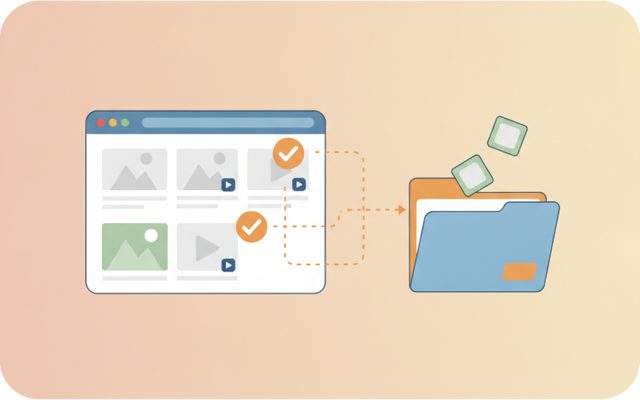
TocTok Page Saver
TocTok Page Saver

Pick & save page media

Analyze a page, preview, and bulk-save only what you tick.
TocTok Viewer
TocTok Viewer

Excel, PDF, Word — one viewer

Open anything, then add notes, shapes and stickers.
TocTok Image Studio
TocTok Image Studio

Find, split, clean

Free stock search, flexible splitting, EXIF/GPS removal.

TocTok All-in-One
TocTok All-in-One

Every tool, one screen

Install, launch and auto-update the whole suite.

TocTok Video Editor Key Features

Everything a video editor needs.

✂️

Cut · Split · Join

Instant lossless cuts or frame-accurate precise cuts. Split by parts or interval; lossless joining.

🎬

Timeline editing

Arrange multiple clips, trim each, set speed and rotation per clip. 8 transitions.

✏️

Captions, music, filters

Positioned captions with outline, BGM (mix/replace, loop, fade), 7 mood filters.

⬇ Free Download Windows only

TocTok Video Editor How to Use

Three steps to a finished video.

1

Add videos

Multiple clips play in order on the timeline.

2

Polish

Trim ranges, add captions, music, filters and transitions.

3

Make it

Press Make Video — your MP4 lands in an output folder.

⬇ Get it free now Windows only

FAQ

Is it really free?

Yes — free forever. No watermark, no trial limits, no locked features.

What can it do?

Basics: lossless/precise cutting, splitting, joining, quality change. Plus multi-clip timeline with transitions, captions, background music, filters, speed and rotation.

What is lossless cutting?

It carves out your range without re-encoding — zero quality loss, instant. Start may snap 1–2s to a keyframe; use Precise when exactness matters.

Which formats?

Reads MP4, MOV, AVI, MKV, WMV, WebM — exports universal MP4.

Are originals touched?

Never — results go to a separate output folder.

⬇ Free Video Editor Download Windows only

What makes a good free video editor?

Editing splits into trimming (cut, split, join) and dressing up (captions, music, transitions, filters). Big-name editors are powerful but heavy — and free tiers stamp watermarks. TocTok Video Editor does both jobs the simple way, watermark-free.

How to use it

Add videos to the timeline, seek in the preview and set start/end points per clip, pick filters and speed, add captions and background music, choose a transition, then press Make Video. For quick jobs use the left-menu tools — Cut, Split, Join and Quality each get their own simple screen.

Good to know

Results are saved to a separate folder — originals untouched. Lossless cuts snap to keyframes (1–2s); use Precise for exact cuts. Respect copyright when editing others' footage or music for public uploads.

Pro tips

Trim lectures losslessly and export at 2x for fast revision. For vlogs: join clips + fade + BGM. Captions read best bottom-center with outline. Shrink big results with TocTok Video Compressor, or convert formats with TocTok File Converter.